Product tour

The PM’s control layer, in one focused workbench.

PM Control Workbench sits beside the tools around a project and gives the project manager a place to hold the operational picture together.

30-second visual tour

Eight views. One connected control story.

Screenshots are captured from the real product using fictional demo data.

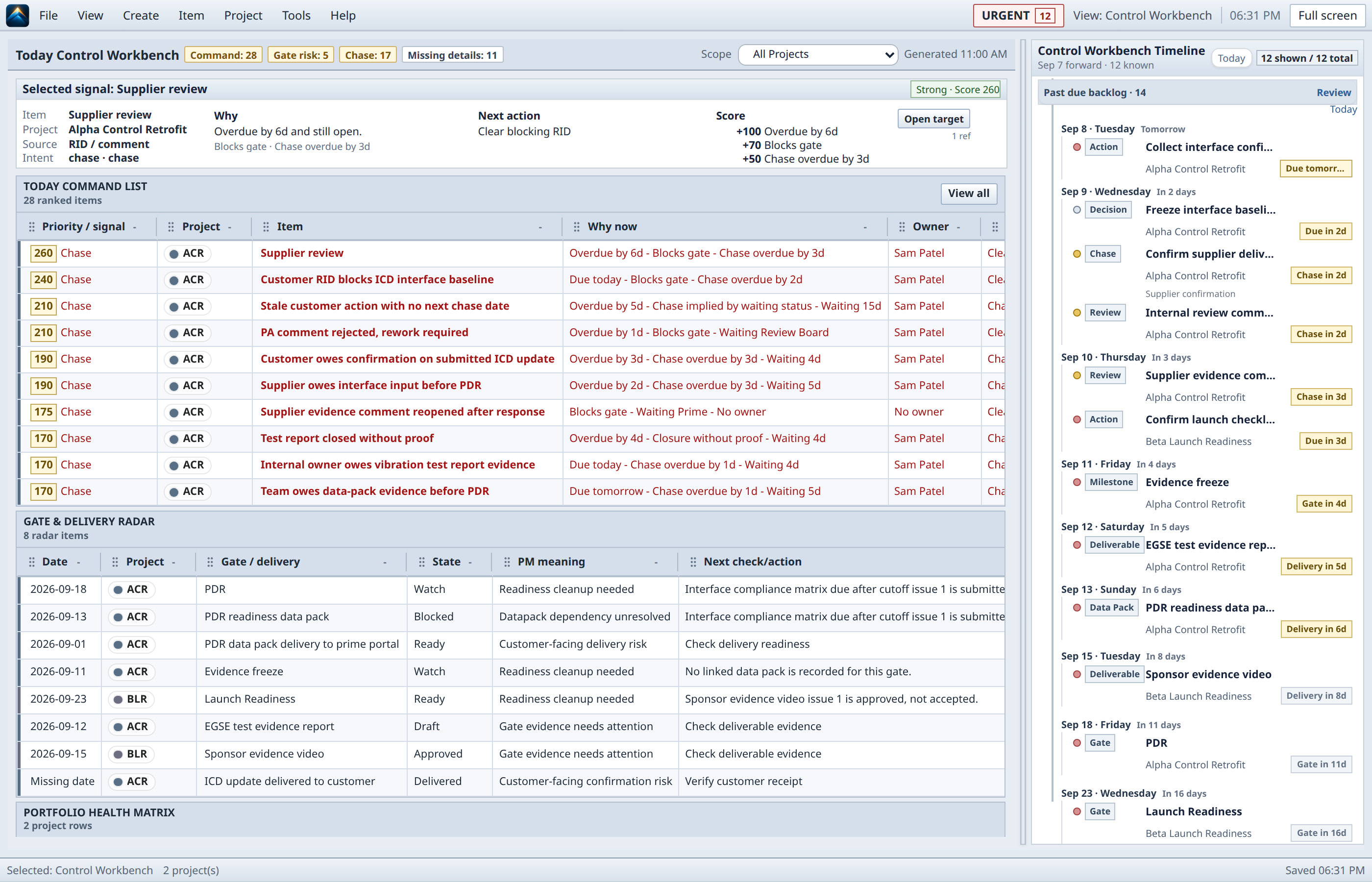
Curated desktop PM Control Workbench Today view with populated ranked signals, delivery radar, project health, and near-term control timeline for synthetic projects.
TodayKnow what needs attention.

Ranked signals, delivery radar, project health, and the near-term timeline form one command view.

Inspect full screenshot ↗

PM Control Workbench visual tour transcript

  1. Today: Know what needs attention. Ranked signals, delivery radar, project health, and the near-term timeline form one command view. Screenshot description: Curated desktop PM Control Workbench Today view with populated ranked signals, delivery radar, project health, and near-term control timeline for synthetic projects.
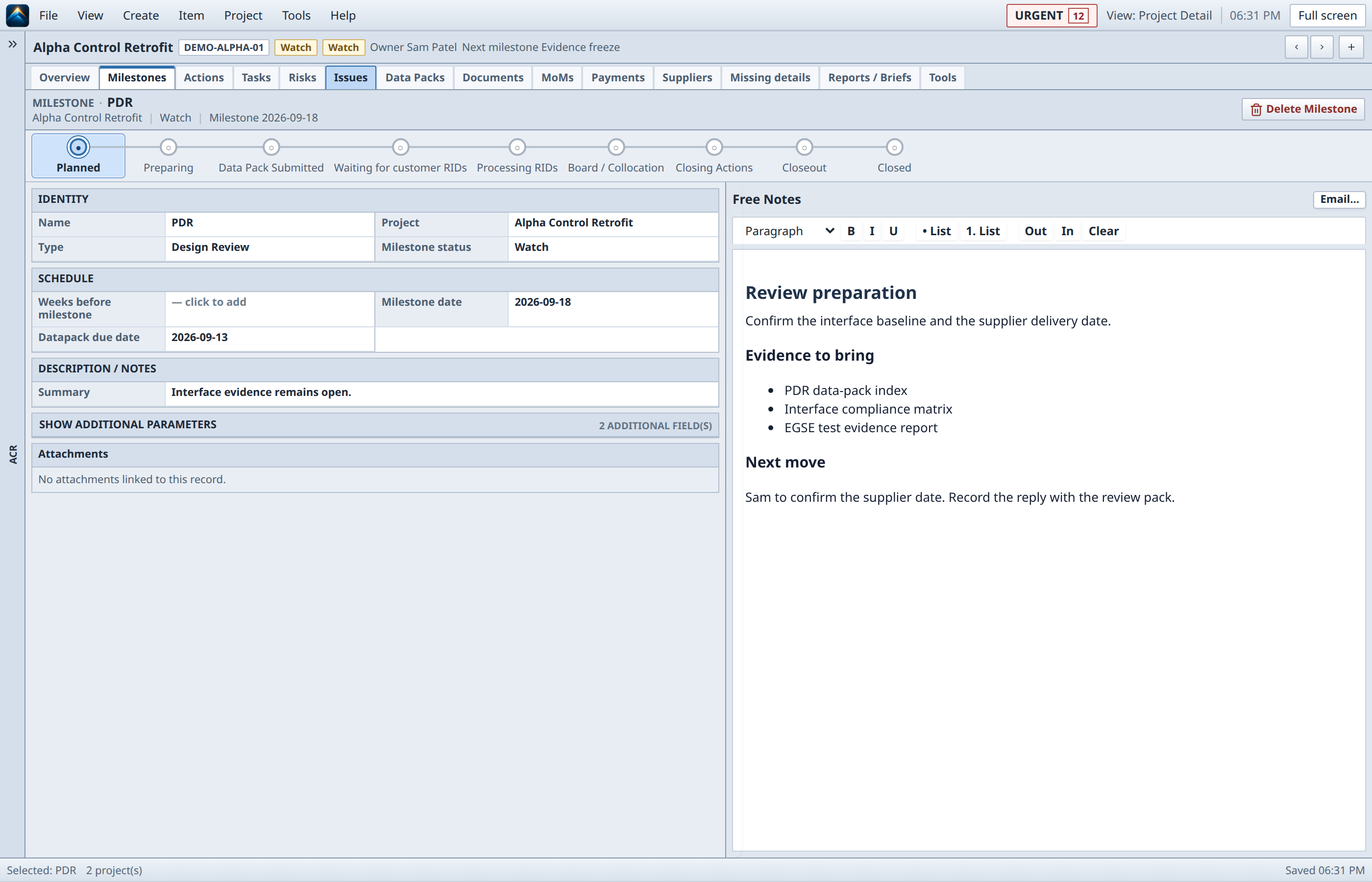
  2. Project: See the whole project in context. Project status, ranked work, delivery radar, and upcoming controls remain in one operational context. Screenshot description: Curated desktop PM Control Workbench project overview with populated status, ranked work, delivery radar, project health, and upcoming controls for a synthetic project.
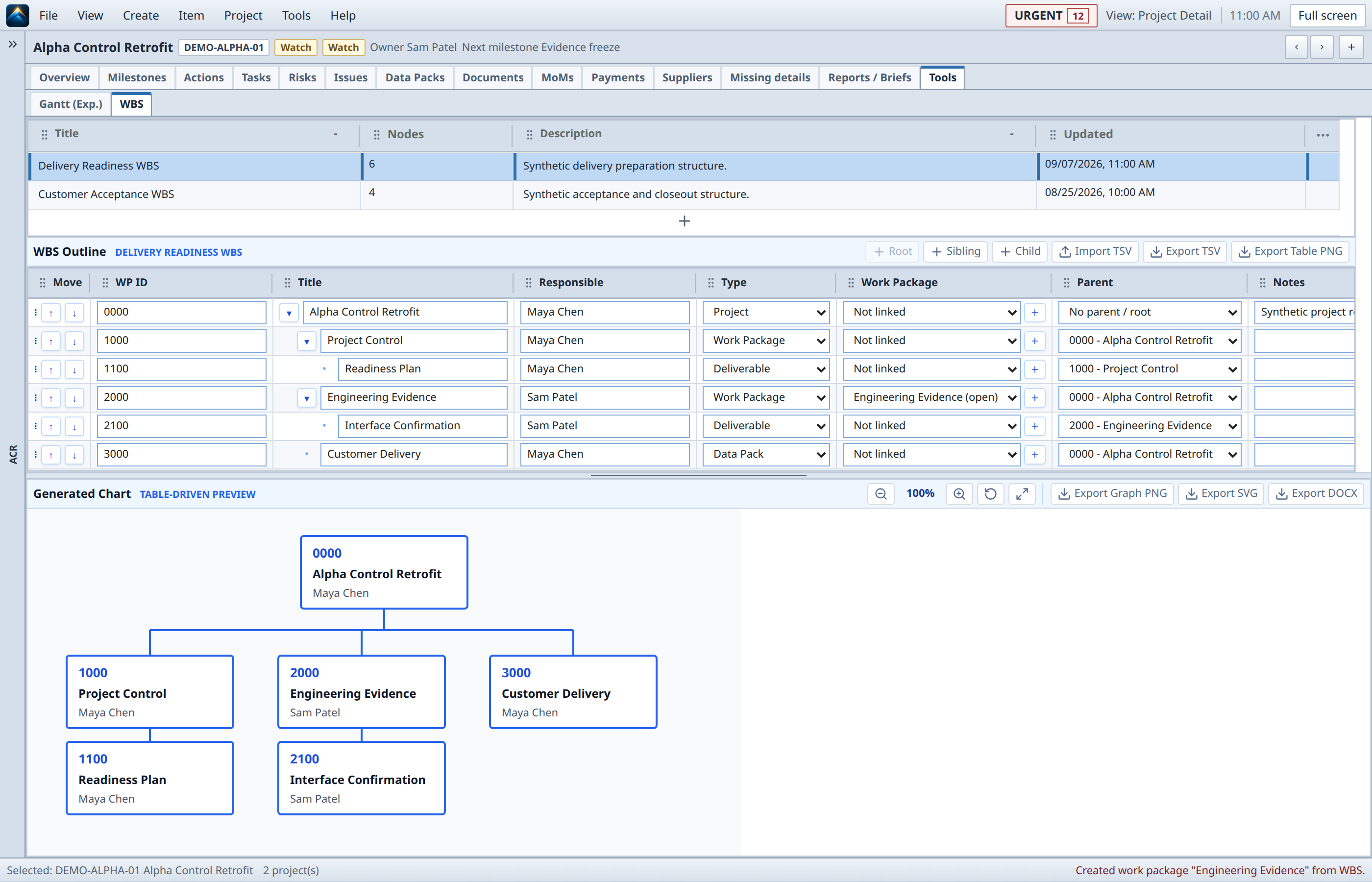
  3. WBS: Structure the project clearly. A populated delivery hierarchy connects the editable outline directly to its generated structure chart. Screenshot description: Curated desktop PM Control Workbench WBS view with a populated editable delivery hierarchy and generated structure chart for synthetic project data.
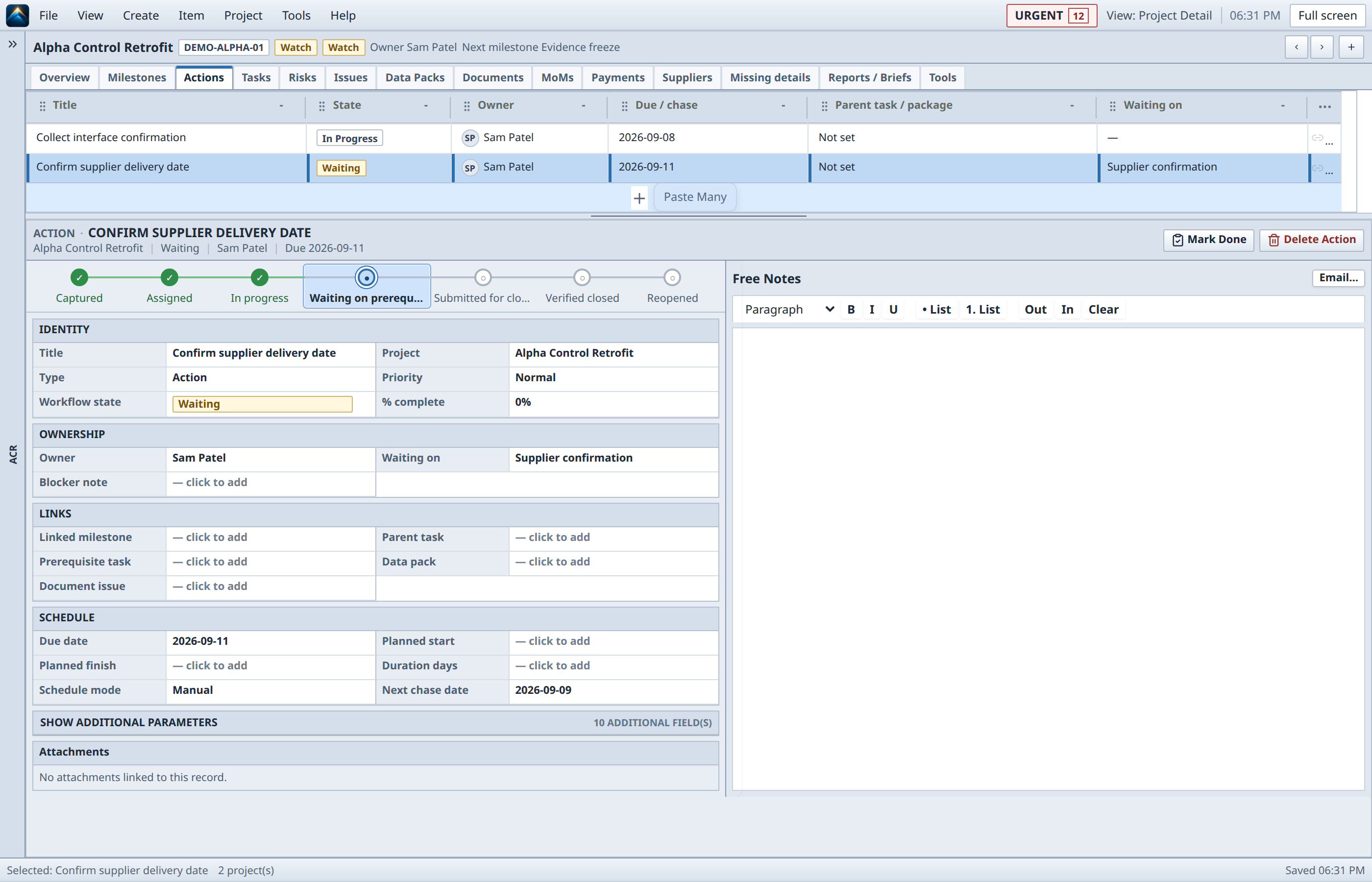
  4. Actions: Turn follow-up into accountability. Eleven commitments make ownership, due dates, chase state, waiting-on context, and source immediately scannable. Screenshot description: Curated desktop PM Control Workbench Actions view with eleven synthetic commitments across multiple owners, due dates, statuses, chase states, and source references.
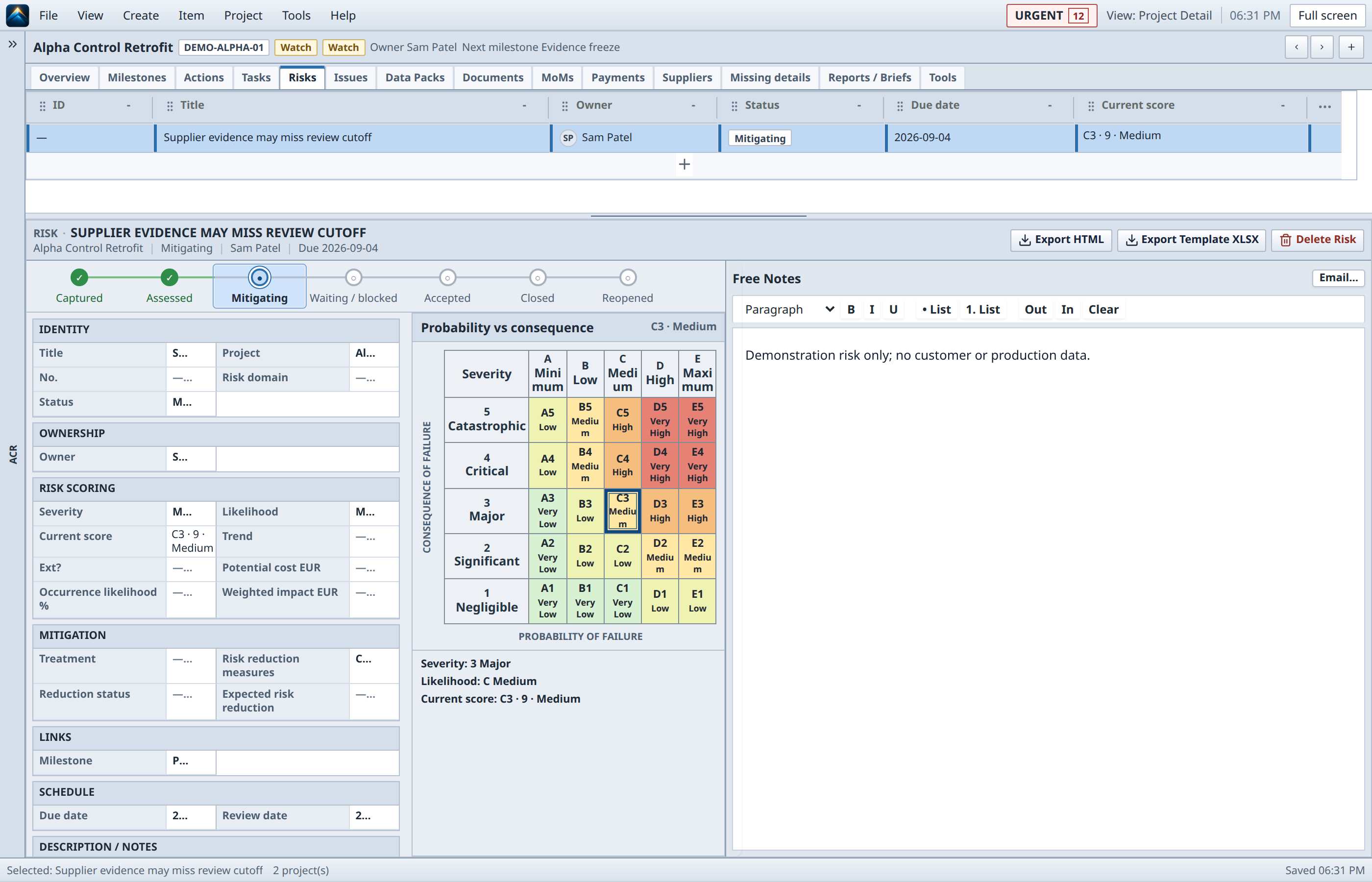
  5. Risks: Make uncertainty explicit. A populated risk register and selected high-severity assessment expose lifecycle, ownership, and consequence together. Screenshot description: Curated desktop PM Control Workbench Risks view with nine synthetic risks across lifecycle states and severities plus a selected high-severity probability-versus-consequence assessment.
  6. Documents: Keep project information connected. A controlled document set opens directly into lifecycle, issue, ownership, and linked data-pack context. Screenshot description: Curated desktop PM Control Workbench Documents view with a populated synthetic document set and selected lifecycle, issue, owner, and linked data-pack detail.
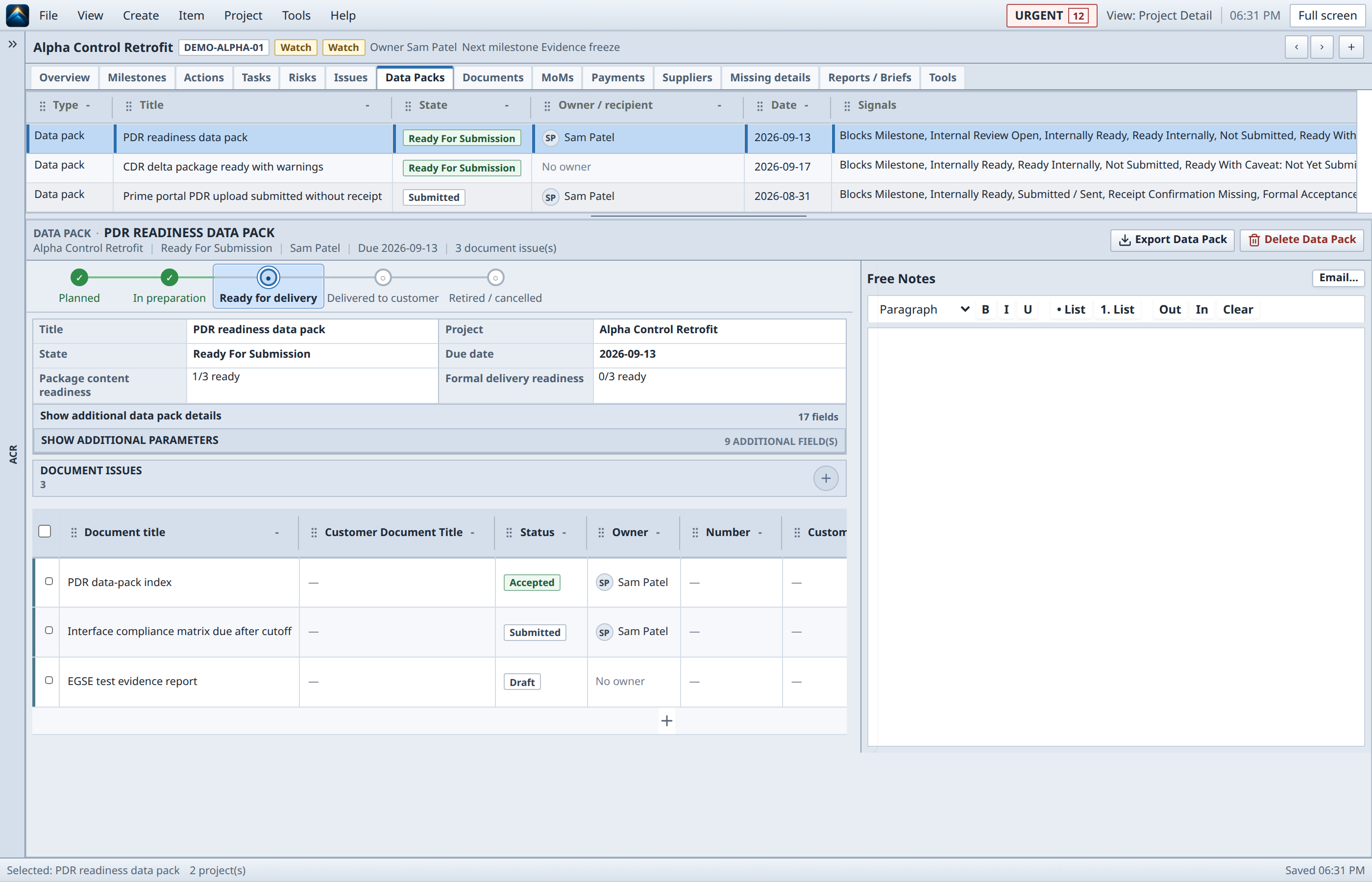
  7. Data Pack: Build delivery evidence from controlled data. Readiness, linked evidence, delivery state, ownership, issues, and export stay in one controlled workflow. Screenshot description: Curated desktop PM Control Workbench Data Pack view with a populated synthetic package list, selected delivery lifecycle, readiness fields, issues, ownership, and export action.
  8. Relationships: One control system for the project. Project tree, package list, lifecycle, readiness, document issues, ownership, and delivery action remain visibly connected. Screenshot description: Curated desktop PM Control Workbench integrated project-control view connecting the project tree, data-pack list, selected lifecycle, readiness, document issues, owner, and delivery action.

Inside the product

A focused workbench for real project control.

Captured from the real product with fictional demo data.
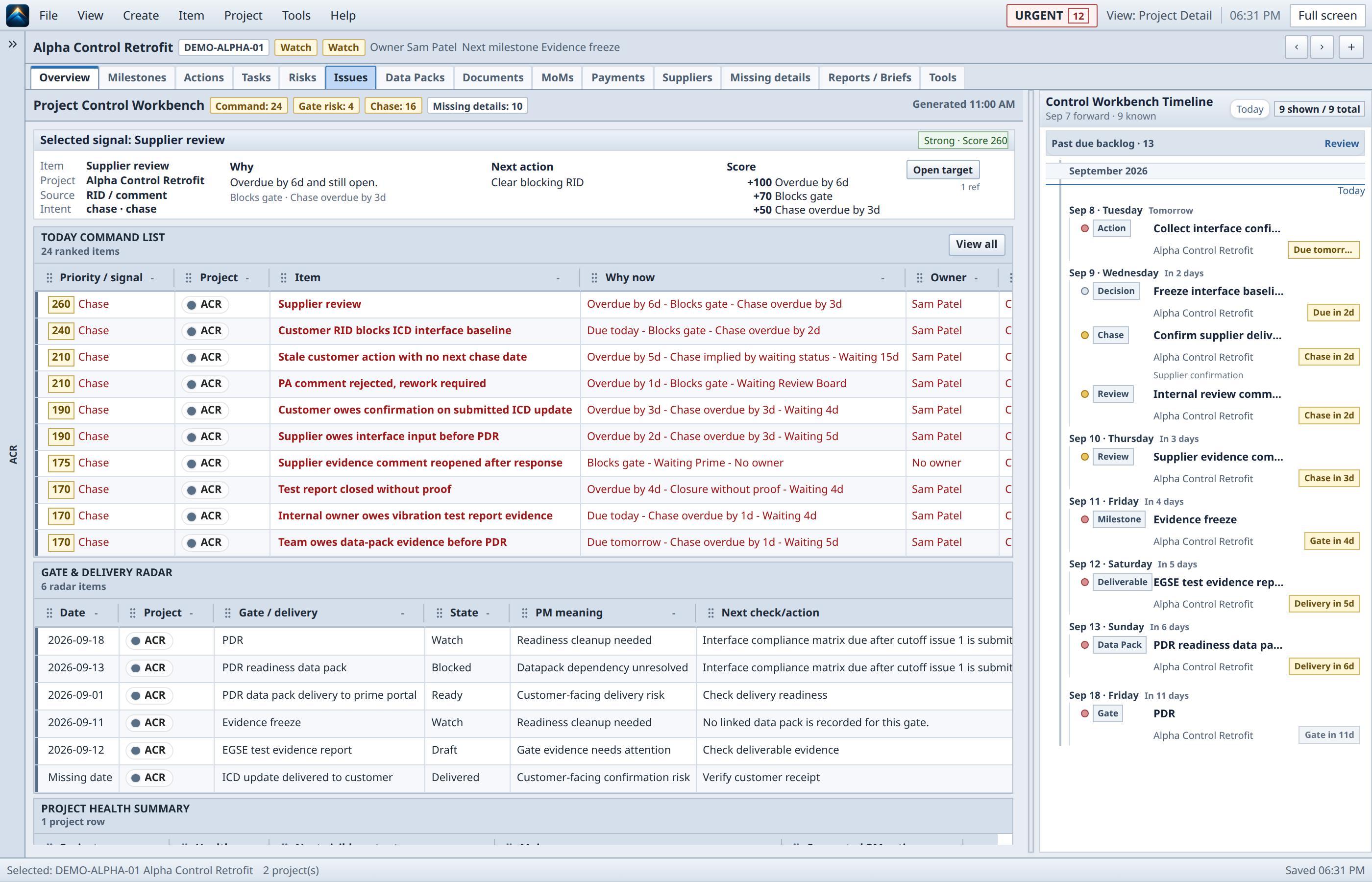
PM Control Workbench project overview for a fictional Demo Satellite Payload, showing project context, command list, gate radar, health summary, and timeline.
Project overview / control contextCaptured from the real product with fictional demo data.Open full resolution
01

Today / current control picture

Start with a decision-oriented view of projects, actions, gates, documents, and signals. The point is not another dashboard to maintain; it is a clear place to decide what deserves the next move.
  • Portfolio and project attention
  • Owner and due-date context
  • Local-first workspace cues
02

Actions, gates, and project memory

Keep commitments and review material attached to the project context that gives them meaning. A signal should lead somewhere useful: an owner, a date, a document, a decision, or an evidence gap.

  • Actions with source and backlink cues
  • Gate and document readiness
  • Explicit data-pack and report paths
03

Meeting outputs that keep moving

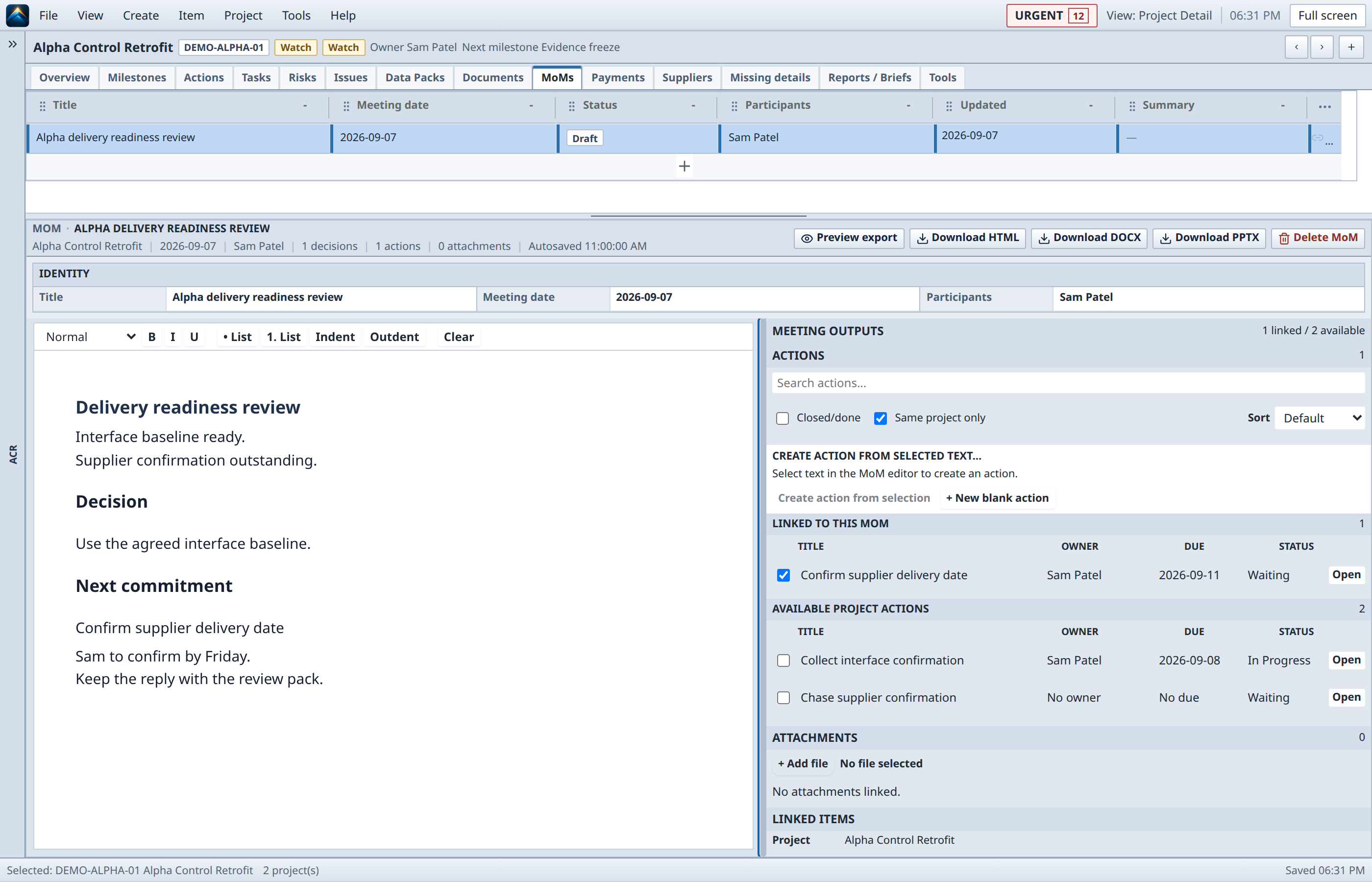
Meeting minutes are not the end of the workflow. Capture decisions and actions, keep owners and due dates visible, and export a durable handoff when the room is done.

  • Decision and action capture
  • Meeting-to-action linkage
  • Portable output and report paths
PM Control Workbench meeting workspace showing editable minutes and a linked-action sidebar in a fictional demo project.
Meeting workspace / outputsCaptured from the real product with fictional demo data.Open full resolution

Positioning

Control the project, not the tools.

It is not a new enterprise system of record.

PM Control Workbench is designed to work across the information and enterprise systems surrounding a project. It helps the PM hold the control picture together without claiming to replace every specialized tool.

It is a place to think and act.

Bring the operational picture close enough to make the next control move explicit, then carry the resulting decision or action into the systems and conversations that need it.