
Today / current picture
Start with the signals, decisions, and follow-ups that deserve attention now.
01Professional project control
A professional project-control workbench, useful to one PM. Keep meeting actions, risks, and review context connected alongside the systems your organisation already uses. Your project workspace is local; PMCW does not host it.
30-day trial
Explore PM Control Workbench for 30 days with your own project. No card required. Download without creating an account; start the trial on your device.
A meeting, an action, a follow-up
A fictional example: the team needs the supplier’s revised delivery date before Friday.
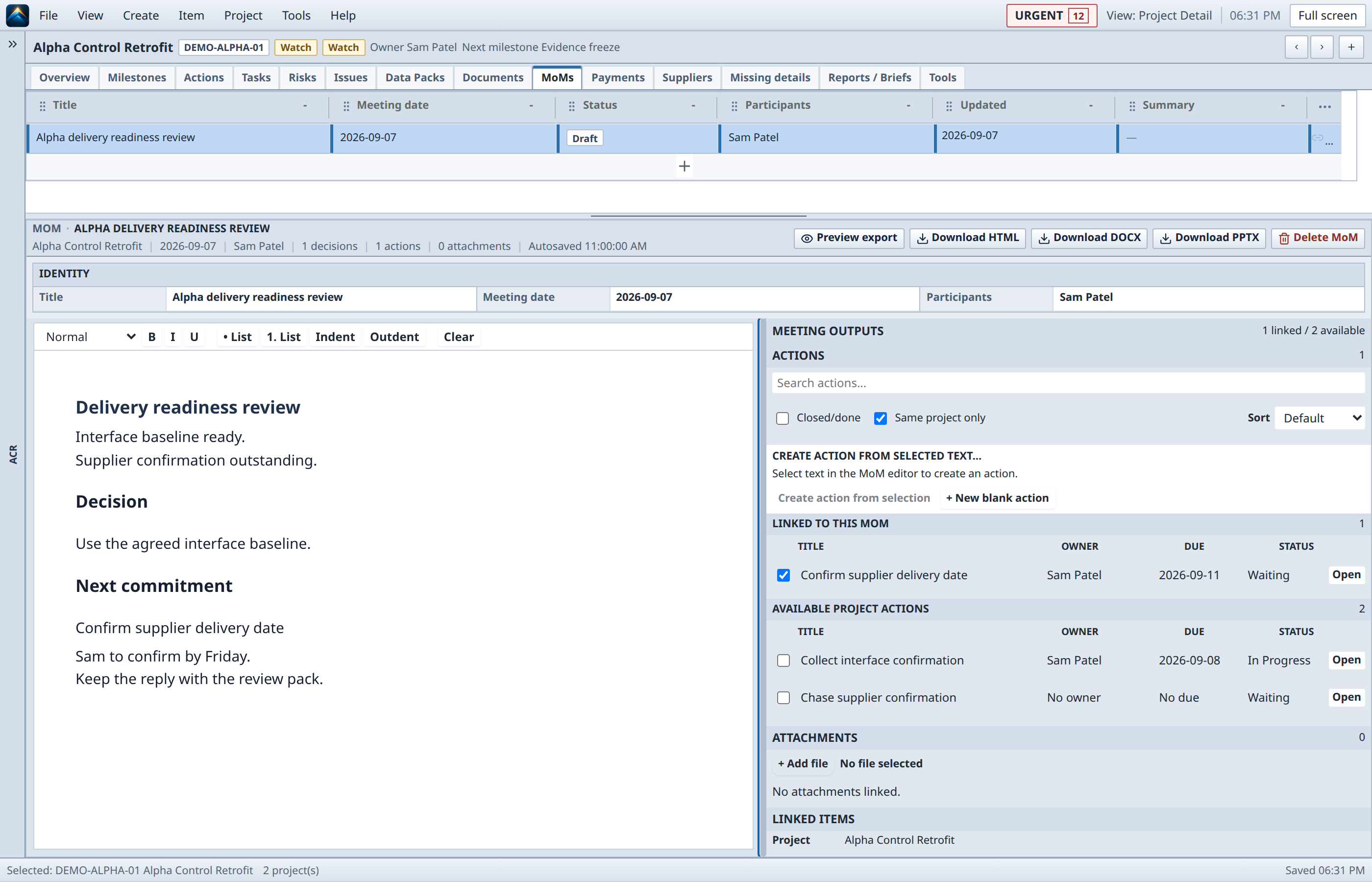
Write “Confirm the supplier’s revised delivery date” in the meeting notes. Select that text to create a linked action.
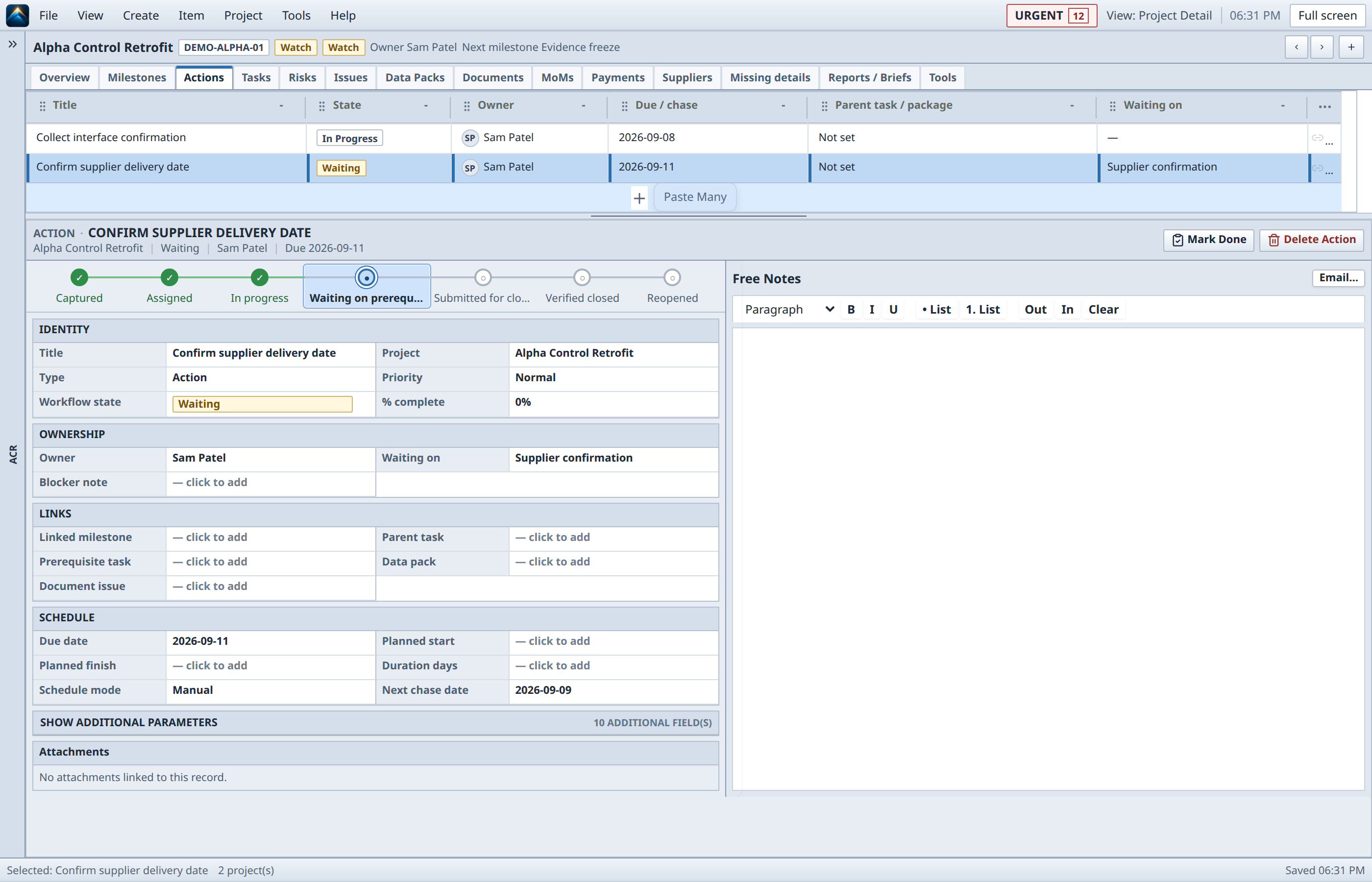
Assign the action to Sam and set Friday as the due date. The action keeps its link to the meeting and project.
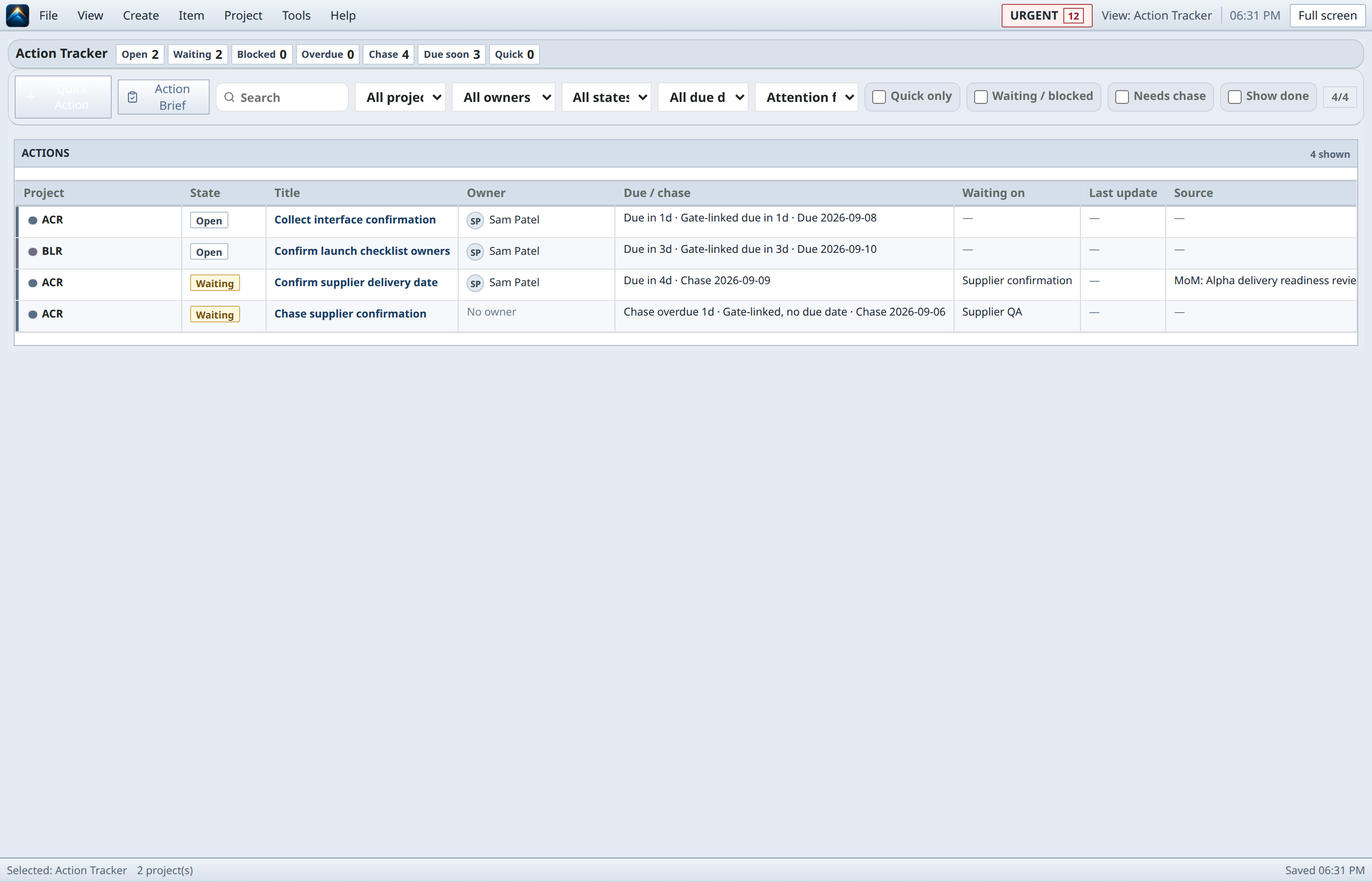
Find the commitment in Action Tracker. Export the minutes with linked actions, owners, due dates, and status for the next conversation.
The control gap
The PM’s operational picture is usually spread across conversations, spreadsheets, issue trackers, document stores, schedules, and enterprise systems. PM Control Workbench sits beside those systems and gives the PM a focused place to think, connect, and act.
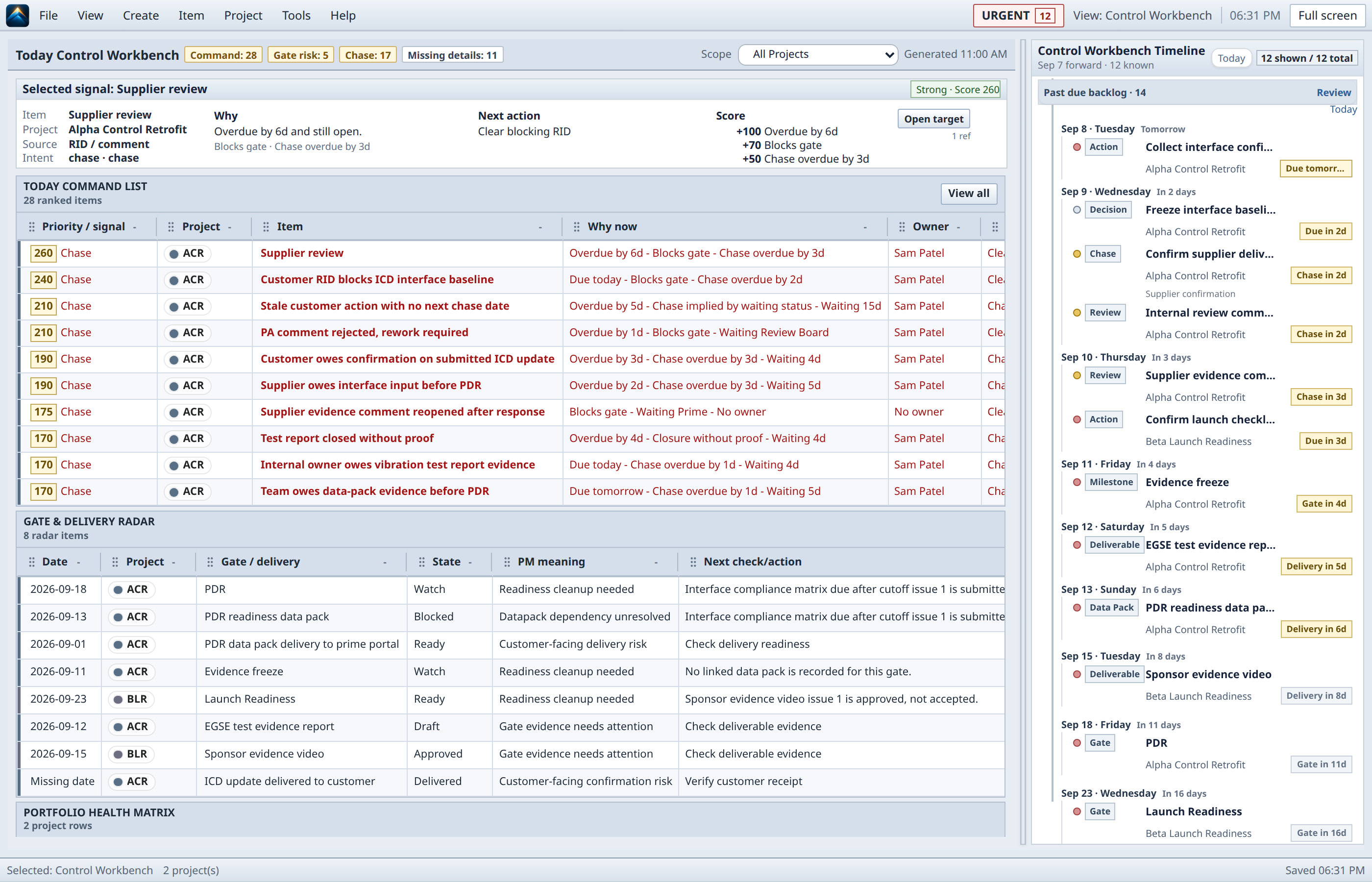
The workbench
Use the PM’s daily control workspace for the commitments, decisions, and evidence gaps that need attention. Keep detailed source records in their existing systems; you do not need to rebuild the whole project in PMCW.
A closer look at the real product
Captured from the real product with fictional demo data.
What belongs close
Start with the signals, decisions, and follow-ups that deserve attention now.
Keep owner, due date, project context, and status attached to the action.
Make review readiness visible through linked documents, data packs, and decisions.
Carry decisions and action lists from the meeting into the project record.
Keep the files, notes, and review material that support the next decision close to the work.
Share selected reports and explicit exports through your organisation’s approved handoff process.
The boundary matters
PMCW keeps the active workspace in storage controlled by you or your organisation. Online identity and licensing are separate from project content. You choose when to export or share information and where to keep approved backup copies; employer and client data remains subject to organisational rules.
Bring structured project context to your organisation’s approved AI. You choose access; PMCW neither provides nor requires its own AI service.
Explore AI context exportInside the product
Getting started
Approved pilot users receive a Windows package. Keep it on a fixed local drive and start it with the supplied launcher.
Add project details, actions, and meeting notes. You can also paste a structured action or document list, review the preview, and apply it.
Update owners, dates, and status as work progresses. Project data stays on your computer; share explicit exports and keep backups. There is no cloud sync or shared-workspace editing.
Commercial shape
The full released Workbench for one named professional. No subscription, renewal or maintenance fee. Try it for 30 days with no card and no automatic conversion.
Named individual · one-time purchase
For one professional doing real project work.
EUR once · excluding applicable tax
Questions worth asking
No. PMCW is useful to one PM without organisation-wide adoption. Your team can keep using its existing tools.
No. Keep the systems your organisation already uses. PMCW holds a selected project-control picture alongside them; coexistence does not promise automatic synchronisation.
In a local project workspace on your computer, under your or your organisation’s storage controls. No PMCW project-data cloud hosts it. Online identity and licensing are separate.
No PMCW project server or collaborative backend needs to be deployed. The supplied package runs its browser interface locally; identity and licensing use separate online services.
The launch offer is a €149 one-time licence for one named professional. Contact us about organisation procurement or deployment requirements. No public organisation price is offered; purchasing is not currently open.
Start with the control problem
Purchasing is not currently open. Download and evaluate without creating an account. Project work stays local.